


ITR Filing 2022: How to check your income tax refund status if you haven’t received it yet


New Delhi, Sep 16: After you file your tax return for the assessment year usually you are sent an intimation notice which clarifies on the tax refund payment to you.
And it's been nearly 40 days since the ITR due date has been passed and if you still haven't received your refund, you should check its status on the e-filing IT portal or tin-nsdl website.

Last week, the Central Board of Direct Taxes (CBDT) declared that the department had issued refunds of over Rs 1.14 lakh crore to more than 19.7 million taxpayers between April 1 and August 31. It added that the refunds worth Rs 61,252 crore had been issued back in 19,600,998 cases and corporate tax refunds of Rs 53,158 crore had been issued in 1,46,871 cases.
The above announcement clearly states that it is the right time for the taxpayers to check their income tax refund status. For the same they can visit the Tax Information Network (TIN) of the Income Tax Department portal or they can also visit the official website of the Income Tax Department.
Through TIN-NSDL portal: To check their income tax refund status through TIN-NSDL portal, taxpayers can visit https://tin.tin.nsdl.com/oltas/refund-status-pan.html and enter PAN and Assessment Year. Taxpayers should bear in mind that they can check the status of their refund 10 days after the Assessing Officer has forwarded it to the Refund Banker.
Through e-Filing portal: Taxpayers can also visit the e-Filing portal of the Income Tax Department or else they can also click here https://www.incometax.gov.in/iec/foportal and then they need to login with User ID, Password, Date of Birth / Date of Incorporation and Captcha. Then they need to head to the 'My Account' section and click on "Refund/Demand Status". They will now get this message on their screen:
- Assessment Year
- Status
- Reason (For Refund Failure if any)
- Mode of Payment is displayed.
-
 Gold Silver Rate Today, 30 March 2026: City-Wise Prices, MCX Update On 24K Gold, 22K Gold And Silver
 -
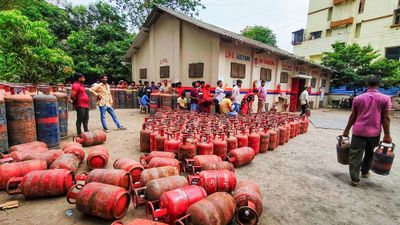 LPG Crunch: Karnataka Brings New SOPs, Makes PNG Registration Mandatory for Businesses
 -
 Hyderabad Gold Silver Rate Today, 30 March 2026: Check Fresh 24K, 22K, 18K Gold And Silver Prices In City
 -
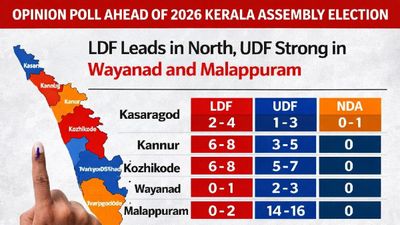 Opinion Poll For Kerala Assembly Election 2026: Ldf Strength In Kannur And Kasaragod
 -
 Tamil Nadu Polls 2026: Vijay Reveals Rs 645 Crore Assets, Rs 266 Crore in Banks; Know All His Declaration
 -
 Mumbai Metro Line 9 Set for April 3 Launch, Dahisar-Mira Bhayandar to Get Direct Boost
 -
 Hyderabad Gold Silver Rate Today, 31 March 2026: Gold And Silver See Fresh Movement, Check Latest City Rates
 -
 Gold Silver Rate Today, 31 March 2026: City-Wise Prices, MCX Trend As Gold Rises And Silver Slips
 -
 Rahul Arunoday Banerjee Autopsy Report: Actor Was Underwater For Over An Hour, Sand Found In Lungs
 -
 Thunderstorm Warning In Delhi NCR: IMD Issues Orange Alert Amid Sudden Weather Shift
 -
 Trump Hints At Breakthrough With Iran Amid War Escalation, Calls Recent Move A ‘Sign Of Respect’
 -
 UP STF Nabs Maulana Abdullah Salim Over Controversial Comment On CM Yogi's Mother



 Click it and Unblock the Notifications
 Sign in with Google