


WhatsApp Introduces Low-Light Video Calling Mode; Follow These Steps To Try It
WhatsApp's latest update features a Low-Light Mode that enhances video clarity during calls in dimly lit environments. This function improves visibility and ensures users can connect clearly, regardless of lighting conditions.


WhatsApp has introduced a new update to enhance video calls. Users can now activate Low-Light Mode during these calls. This feature improves video quality in dim lighting. While many have noticed new filters and backgrounds, the Low-Light Mode might have been overlooked. It stands out by offering better visibility in poor lighting conditions.
The Low-Light Mode is designed to improve video clarity in dark environments. When tested, it significantly boosts brightness, illuminating faces and reducing graininess. This ensures that friends and family can see you clearly, regardless of the lighting situation.

Steps To Activate Low-Light WhatsApp Video Calling:
Step 1: To enable it, open WhatsApp and start a video callStep 2: Expand your video feed to full screenStep 3: Tap the 'Bulb' icon at the top right corner Step 4: Low-Light Mode on your phone will get activated. Step 5: To turn it off, simply tap the Bulb icon again.
Availability Across Platforms
The Low-Light Mode is accessible on both iOS and Android versions of WhatsApp. However, it's not available on the Windows app version. Windows users can still manually adjust brightness levels for their video calls if needed.
This feature must be activated for each call since there's no option to keep it permanently enabled yet. The interface allows users to quickly toggle this feature as needed during their calls.
Enhancing Video Calls with Ease
With this new feature, WhatsApp aims to make connecting with loved ones easier even in poorly lit settings. Next time you're in a dim room, remember to use this feature for a clearer video-calling experience.
The introduction of Low-Light Mode reflects WhatsApp's commitment to improving user experience by addressing common issues like poor lighting during video calls.
-
 Gold Rate Today 30 March 2026: IBJA Benchmark Rates, Tanishq, Kalyan, Malabar, Joyalukkas Prices
 -
 Gold Silver Rate Today, 30 March 2026: City-Wise Prices, MCX Update On 24K Gold, 22K Gold And Silver
 -
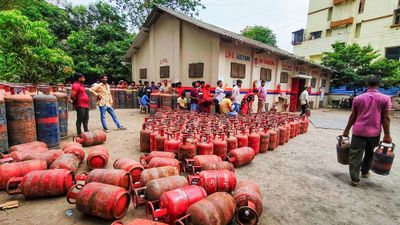 LPG Crunch: Karnataka Brings New SOPs, Makes PNG Registration Mandatory for Businesses
 -
 Hyderabad Gold Silver Rate Today, 30 March 2026: Check Fresh 24K, 22K, 18K Gold And Silver Prices In City
 -
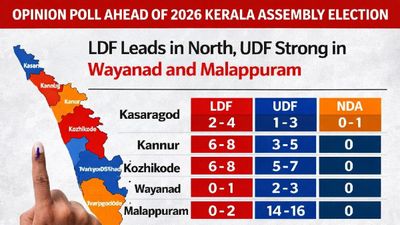 Opinion Poll For Kerala Assembly Election 2026: Ldf Strength In Kannur And Kasaragod
 -
 Tamil Nadu Polls 2026: Vijay Reveals Rs 645 Crore Assets, Rs 266 Crore in Banks; Know All His Declaration
 -
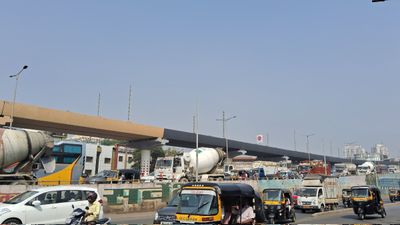 Mumbai Metro Line 9 Set for April 3 Launch, Dahisar-Mira Bhayandar to Get Direct Boost
 -
 Hyderabad Gold Silver Rate Today, 31 March 2026: Gold And Silver See Fresh Movement, Check Latest City Rates
 -
 Gold Silver Rate Today, 31 March 2026: City-Wise Prices, MCX Trend As Gold Rises And Silver Slips
 -
 Rahul Arunoday Banerjee Autopsy Report: Actor Was Underwater For Over An Hour, Sand Found In Lungs
 -
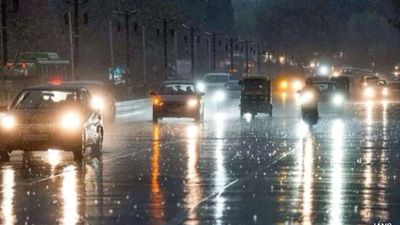 Thunderstorm Warning In Delhi NCR: IMD Issues Orange Alert Amid Sudden Weather Shift
 -
 Trump Hints At Breakthrough With Iran Amid War Escalation, Calls Recent Move A ‘Sign Of Respect’



 Click it and Unblock the Notifications
 Sign in with Google