


UGC NET 2024 Provisional Answer Keys Out; Check Steps To Raise Objection


The National Testing Agency (NTA) on Saturday shared provisional answer keys for UGC NET 2024 on its official website @ ugcnet.nta.ac.in. Candidates who appeared for UGC NET 2024 exam in the month of December can now check their provisional answers and raise objections, if any.
The UGC NET 2024 exam took place between January 3 and 27, which covered 85 subjects across various cities nationwide.

The exam aims to determine eligibility for Junior Research Fellowship (JRF) and Lectureship (LS)/Assistant Professor roles in Indian universities and colleges. Answer keys, along with question papers and recorded responses, are available online.
UGC NET 2024: Raising Objections
Candidates have until February 3 to challenge any discrepancies in the provisional answer keys. To do so, they must visit ugcnet.nta.ac.in and pay a fee of Rs 200 per objection via credit card, debit card, net banking, or UPI. Challenges submitted after this deadline will not be accepted.
To challenge an answer key, candidates should log into the official website using their application number, date of birth, and security pin. After accessing their marked responses, they can view or contest the provisional answer keys by selecting the "challenge" option.
Steps to Challenge Answer Keys
Once logged in, candidates will see question IDs listed sequentially. It's important to refer to these IDs rather than sequence numbers when reviewing questions. Correct options are indicated next to each question under the 'Correct options' column; dropped questions are highlighted and cannot be challenged.
If a candidate wishes to dispute an option, they can select one or more option IDs from the next four columns by ticking the checkbox. Supporting documents can be uploaded by choosing 'choose file' and uploading relevant files.
After selecting desired options, candidates should scroll down to 'submit and review claims' before proceeding to the next screen. Here, all challenged option IDs will be displayed for review.
If modifications are needed, click 'Modify your claims'; otherwise, proceed with 'final submit'. Once claims are saved, a screen showing all challenges will appear. Payment must be made by clicking 'pay now', ensuring claims are finalized upon successful payment.
-
 Thunderstorm Warning In Delhi NCR: IMD Issues Orange Alert Amid Sudden Weather Shift
 -
 UP STF Nabs Maulana Abdullah Salim Over Controversial Comment On CM Yogi's Mother
 -
 Masood Azhar’s Brother Mohammad Tahir Dies In Pakistan Under Mysterious Circumstances, Cause Yet To Be Known
 -
 VerSe Innovation Appoints P.R. Ramesh as Independent Director and Chair of Audit Committee to Strengthen Governance Ahead of Next Phase of Growth
 -
 “Not Going To Be There Too Much Longer”: Trump Signals Endgame In Iran War
 -
 Iran Threatens To Hit US Companies in Region From April 1, Names Microsoft, Apple, Tesla, Boeing
 -
 ‘IPL Official’ Found Dead in Mumbai Hotel, Probe Underway
 -
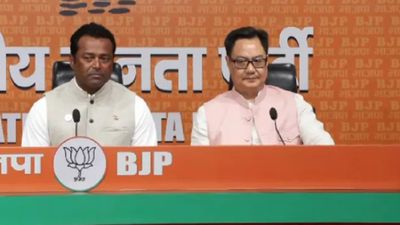 Leander Paes To Contest West Bengal Assembly Elections 2026? Tennis Star Joins BJP Ahead of Assembly Polls
 -
 April 1 Rule Changes: PAN, New Tax Law, ATM, FASTag, Cards to Impact Millions, What’s Changing?
 -
 China, Pakistan Call for Immediate Ceasefire in Iran War, Push Peace Talks ‘As Soon As Possible’
 -
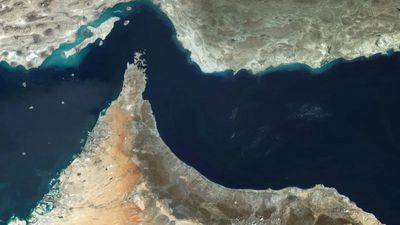 Iran’s New Hormuz Plan Targets Global Shipping with Tolls, What Does It Mean?
 -
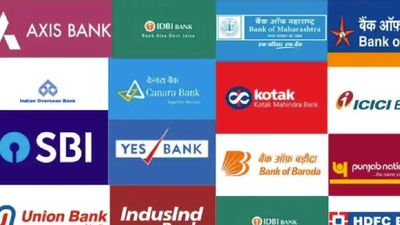 Are Banks Closed or Open Today on Mahavir Jayanti? RBI Issues Special March 31 Instructions



 Click it and Unblock the Notifications
 Sign in with Google